Introduction
In this tutorial, we will learn how to install Apache web server on Amazon Linux 2. We will also learn how to configure Apache web server to serve a simple HTML web page.
Prerequisites
To follow this tutorial, you will need:
- An Amazon Linux 2 EC2 instance.
- A user with sudo privileges.
Install Apache web server and serve a simple HTML web page
Step 1: install Apache web server
Before we start, we need to update the package list and upgrade the installed packages:
sudo yum update -yNow, we can install Apache web server:
sudo yum install httpd -yStep 2: start Apache web server
Now, we can start Apache web server:
sudo systemctl start httpdAnd configure Apache to run on system boot:
sudo systemctl enable httpdStep 3: configure the firewall
Now, we need to configure the firewall to allow HTTP traffic:
sudo firewall-cmd --permanent --add-service=httpsudo firewall-cmd --reloadStep 4: create a simple HTML web page
Before we can test Apache web server, we need to change the permissions of the /var/www/html directory:
sudo chmod 777 /var/www/htmlNow, we can create a simple HTML web page:
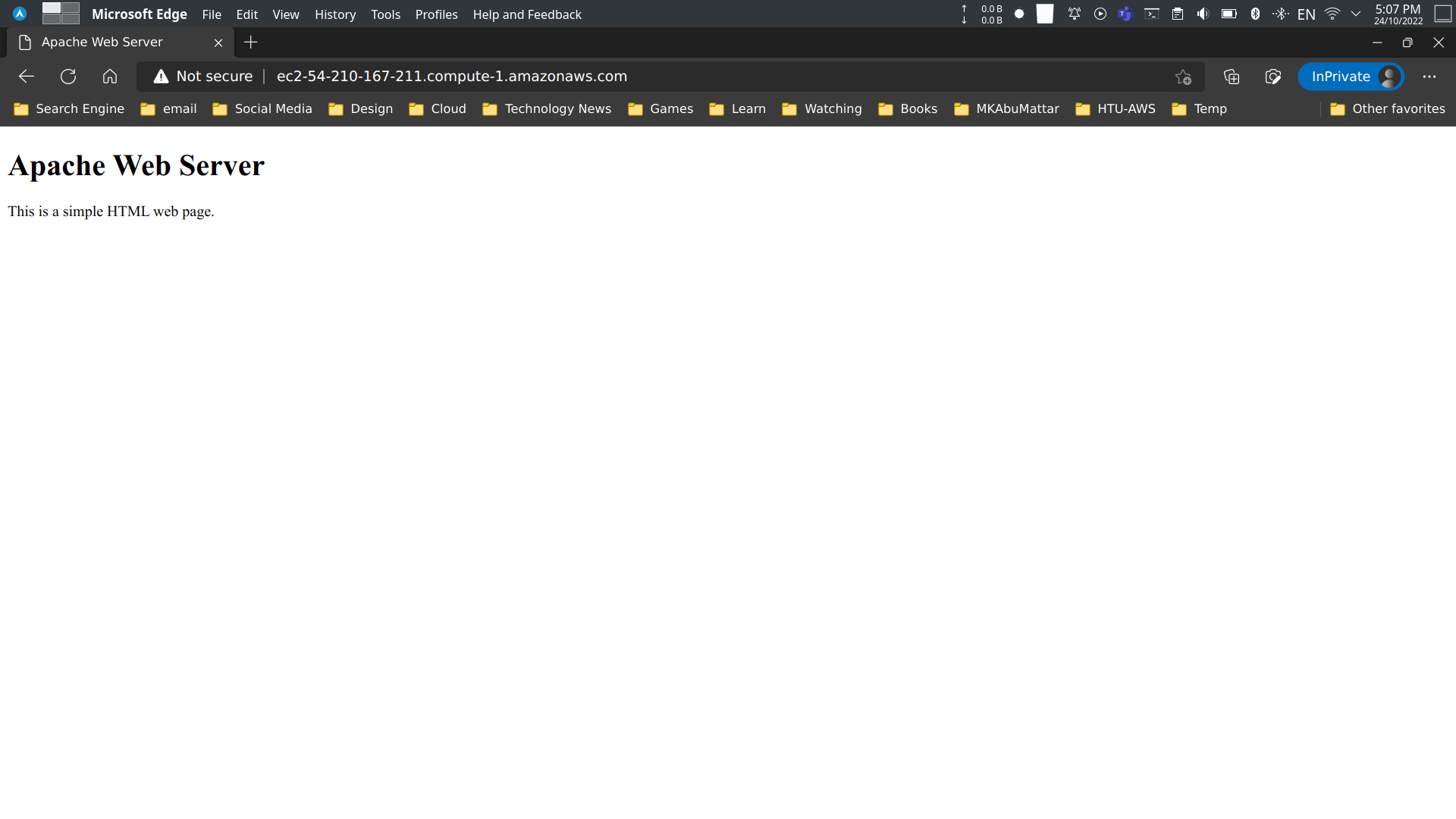
sudo vi /var/www/html/index.html<!doctype html><html> <head> <title>Apache Web Server</title> </head> <body> <h1>Apache Web Server</h1> <p>This is a simple HTML web page.</p> </body></html>Step 5: test Apache web server
Now, we can test Apache web server by opening the public IP address of our Amazon Linux 2 EC2 instance in a web browser:
Conclusion
In this tutorial, we learned how to install Apache web server on Amazon Linux 2. We also learned how to configure Apache web server to serve a simple HTML web page.
References
- Apache HTTP Server Project Documentation
- Amazon EC2 User Guide for Linux Instances
- Tutorial: Installing a LAMP Web Server on Amazon Linux 2
- Firewalld Official Documentation
- Managing software on your Linux instance - AWS
- Controlling Services with systemctl - Red Hat (Amazon Linux is RHEL-based)
- Using firewalld - Fedora Project Docs
- AWS - Amazon Linux 2 AMI Information
- Previous Post: How to Install and Setup FireWall on Amazon Linux 2
- HTML Tutorial - W3Schools
- Vi Text Editor Tutorial